Posts

Showing posts with the label laptop

Protecting Your PC from the Most Dangerous Viruses: A Comprehensive Guide

Image
Viruses are malicious software programs that can harm your computer in various ways. They can steal your personal information, corrupt your files, and even render your computer unusable. With the increasing use of computers in our daily lives, it is important to be aware of the most dangerous viruses and how to protect yourself from them. In this article, we will discuss some of the most dangerous viruses for PC and how to protect your computer from them. Types of Viruses There are many different types of viruses that can harm your computer. Some common types include: Trojan horses: These are viruses that disguise themselves as legitimate programs and can steal your personal information or give hackers access to your computer. Worms: These are viruses that replicate themselves and can spread quickly through networks, causing widespread damage. Ransomware: These are viruses that encrypt your files and demand payment in exchange for the decryption key. Adware: These are viruses that disp...

How to Use CHKDSK to Repair & Fix Hard Drives

Image
One of the most common tasks for maintaining a healthy computer is regularly checking and repairing hard drives. While there are a variety of tools available for this purpose, one of the most effective is the CHKDSK (Check Disk) utility built into Windows. In this article, we'll explain how to use CHKDSK to diagnose and fix problems with your hard drive. What is CHKDSK and When Should You Use It? CHKDSK is a command-line utility that checks a hard drive for errors and attempts to repair any problems it finds. It can scan for bad sectors, lost clusters, and other issues that can cause problems with your hard drive. There are a few signs that it might be time to use CHKDSK: Your computer is running slow or experiencing other performance issues. You are receiving error messages when trying to access files on your hard drive. Your hard drive is making strange noises (e.g. clicking or grinding). If you notice any of these issues, it's a good idea to run CHKDSK to see if it can fix t...

What is Missing DLL File Error?

Image
  As a computer user, I make sure you always saw a massage like "Missing DLL files". Most of the time users reinstall the windows to avoid this message but it will always back when you start the computer. Then the question is how you can fix this error? While using a computer a run time error is the most common error you find. There are many different forms of run time errors are come into your computer. Different types of run-time errors: Missing DLL File- A Message Meet "The DLL File is missing" ".dll file is not found" This application failed to start, an important component .dll is missing. Reinstalling the application may fix the error." DLL File- What is It? The DLL File stands for Dynamic Link Library, it is a code and procedure file that contains many small tools with an extension .dll, DLL is the abbreviation of this file. This file can be used by any windows program on your computer. An application calls a DLL file to accomplish a specific ...

Most Popular SSD | Samsung 970 Evo Plus vs 980 Pro

Image
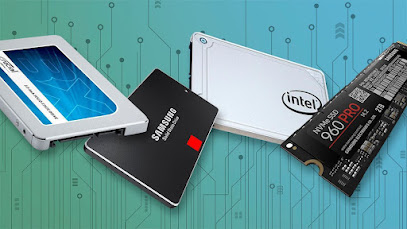
                   Samsung is the world's largest information technology company as well as a world-renowned manufacturer of products that have released many storage devices, such as solid-state drives (SSDs), USB portable drives, SD cards, and so on, of which the Samsung 980 Pro and Samsung 970 EVO Plus are just two of the most popular SSDs currently available and the ones that many computer users struggle with The focus. So, which is better, the Samsung 980 Pro or the Samsung 970 EVO Plus? Continue reading for a thorough comparison of these two popular SSDs. What are the Samsung 980 Pro and 970 Evo Plus? The Samsung 970 EVO plus and 980 pro are two variations of the company's popular SSD. These are the devices that supply you with incredible read and write speeds, hence enhancing performance speed.  The Samsung 980 Pro and 970 EVO Plus both have capacities ranging from 250GB to 500GB, 1TB to 2TB. However, it is crucial to note tha...